
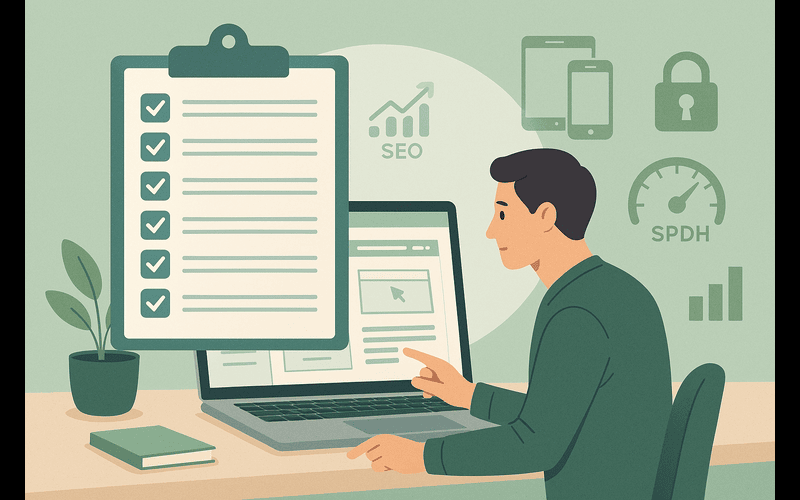
Your website is more than a digital business card—it’s your brand’s home base, your 24/7 salesperson, and often the first impression potential clients have of you. Whether you’re a small business owner building your online presence or a professional preparing to climb to the next stage of your career, your website needs to be intentional, strategic, and user‑friendly.
Here’s a practical 10‑point checklist to make sure your business website is doing its job.
1. Clear Purpose and Messaging
Visitors should understand who you help, what you offer, and why it matters within the first few seconds. Your homepage headline should be simple, direct, and benefit‑driven.
Ask yourself: Can a first‑time visitor explain what I do after 5 seconds on my site?
2. Mobile‑Friendly Design
More than half of web traffic comes from mobile devices. If your site isn’t responsive, you’re losing leads.
Check for:
- Text that’s readable without zooming
- Buttons that are easy to tap
- Layouts that adapt smoothly to smaller screens
3. Fast Loading Speed
Slow websites kill conversions. Users won’t wait, and Google won’t rank you. Aim for a load time under 3 seconds.
Quick wins:
- Compress images
- Use modern formats like WebP
- Minimize plugins
- Enable caching
4. Strong SEO Foundations
Search engines need clear signals to understand your content. At minimum, ensure you have:
- Optimized page titles
- Meta descriptions with natural keywords
- Clean URL structure
- Proper heading hierarchy (H1, H2, H3…)
- Alt text on images
Tools like Rank Math make this easier, but the strategy still matters.
5. Intuitive Navigation
Your visitors shouldn’t have to think. A simple, predictable menu helps them find what they need quickly.
Keep it clean:
- 5–7 main menu items
- Logical grouping
- Clear labels (no clever-but-confusing names)
6. Compelling Visuals and Branding
Your design should reflect your brand’s personality—professional, trustworthy, and aligned with your mission.
Focus on:
- Consistent colours and typography
- High‑quality images
- Clean spacing
- A layout that guides the eye
Good design builds credibility instantly.
7. Clear Calls to Action (CTAs)
Every page should guide the visitor toward a next step.
Examples:
- “Book a Consultation”
- “Download the Guide”
- “Start Your Project”
Make your CTAs visible, specific, and benefit‑driven.
8. Social Proof
People trust people. Add elements that show you’re credible and capable.
Include:
- Testimonials
- Case studies
- Client logos
- Certifications
- Before/after transformations
This is especially powerful for service‑based businesses and career coaching.
9. Contact Information That’s Easy to Find
Don’t make visitors hunt for a way to reach you.
Add your contact details to:
- Header or footer
- Contact page
- CTA sections
Include multiple options (email, form, phone, social links) to suit different preferences.
10. Security and Technical Essentials
A secure, well‑maintained website protects your brand and your visitors.
Make sure you have:
- SSL certificate (HTTPS)
- Regular backups
- Updated plugins and themes
- Spam protection
- Privacy policy and terms pages
These are non‑negotiable for any professional site.
Final Thoughts
A business website doesn’t need to be complicated—it needs to be clear, functional, and aligned with your goals. When you get these 10 essentials right, your website becomes a powerful tool that supports your growth, builds trust, and helps your audience climb toward their next step.
If you want, I can also help you turn this into a downloadable checklist or create an SEO‑optimized version tailored to a specific service page.